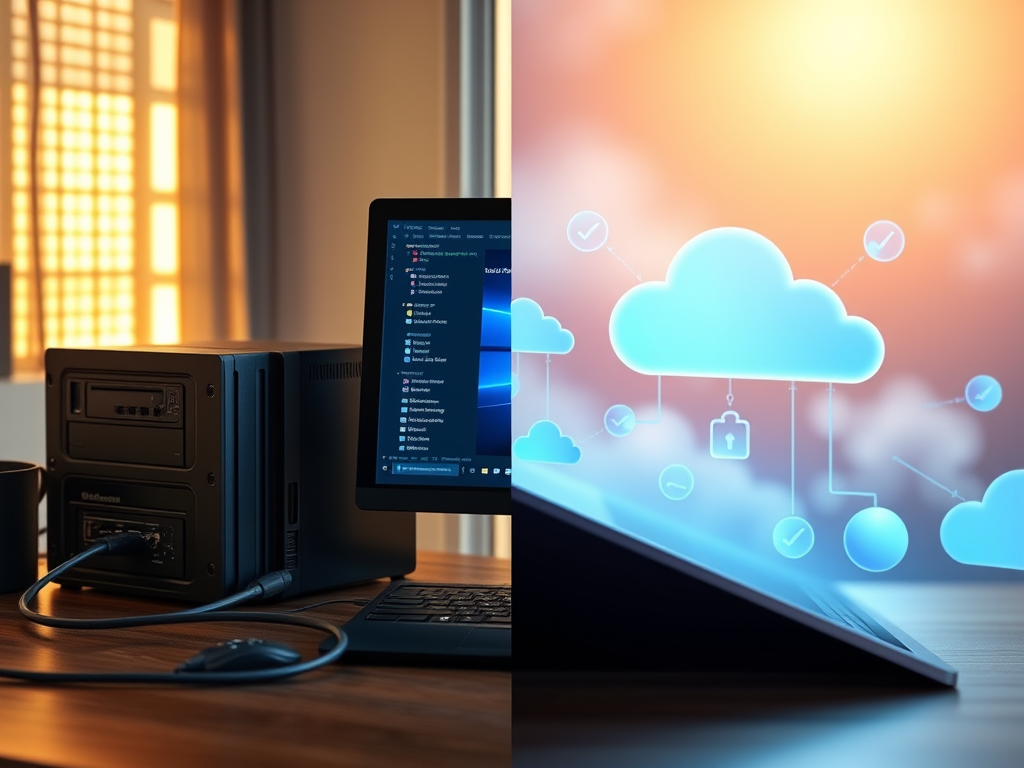
In today’s digital world, your data is priceless. Family photos, critical business documents, financial records – losing them isn’t an option. Choosing the right software and strategy for data protection is paramount. But with terms like “backup,” “clone,” “local,” and “cloud” swirling around, making the best choice can feel overwhelming. Let’s break down your options to build an unshakeable data security plan.
Backup vs. Clone: Understanding the Core Difference
- Backup:
- What it is: Creates compressed, versioned archives of your files and folders (or entire systems). Think of it as saving snapshots of your data at specific points in time.
- Pros: Highly efficient on storage space (compression, incremental/differential backups save only changes). Enables point-in-time recovery – crucial for retrieving files before ransomware infection or accidental deletion. Ideal for long-term archiving and recovering individual files or folders. Cloud backup services primarily use this method.
- Cons: Restoring an entire system (OS, applications, settings) can be slower than cloning. Requires backup software to manage and restore files.
- Best For: Protecting against data loss (deletion, corruption), ransomware recovery, long-term archives, and flexible file/folder restoration. Essential for comprehensive data security.
- Clone:
- What it is: Creates a byte-for-byte, bootable replica (image) of an entire drive or partition at a single moment in time. It’s a complete copy, like a spare tire for your hard drive.
- Pros: Extremely fast full system recovery – swap the failed drive with the clone, and you’re back running immediately. Simpler concept (exact copy). Excellent for drive upgrades or migrations.
- Cons: Consumes significant storage space (full copy every time, unless using incremental imaging). Lacks version history – only the latest state is saved. Restoring individual files is often more cumbersome. Not inherently suited for offsite protection.
- Best For: Rapid disaster recovery after hardware failure (drive crash), system migration, or drive upgrades. Not a substitute for backups.
Verdict: Backup is the cornerstone of data security. Cloning is valuable for rapid hardware recovery but lacks the versioning and space efficiency needed for robust protection against most data loss scenarios. Use cloning alongside backups for maximum resilience.
Local vs. Cloud Storage: Where Should Your Data Live?
- Local Storage (External HDDs, SSDs, NAS):
- Pros: Faster backup/restore speeds (especially large amounts). Full physical control over your data. No recurring subscription fees (after hardware purchase). Works without internet. Ideal for large initial backups and fast local recovery.
- Cons: Vulnerable to physical threats (theft, fire, flood, power surges). Requires manual effort to store offsite for true safety. Hardware can fail. Limited accessibility from remote locations.
- Best For: Fast, large-scale backups; primary recovery location; users needing maximum control; handling very large datasets cost-effectively.
- Cloud Storage (Backup Services like Backblaze, Carbonite, IDrive):
- Pros: Offsite by default – protects against local disasters (fire, theft). Accessible from anywhere with an internet connection. Managed by the provider (updates, hardware maintenance). Top providers offer robust security (encryption, compliance). Automates the backup process.
- Cons: Requires reliable internet. Initial full backup can be slow. Ongoing subscription costs. Potential concerns about data privacy (choose reputable providers!). Restoring very large amounts of data can be time-consuming.
- Best For: Essential offsite protection; automated, “set it and forget it” backups; accessibility; disaster recovery planning.
Verdict: Don’t Choose Just One – Embrace the 3-2-1 Rule!
The gold standard is the 3-2-1 Backup Strategy:
- 3 Copies: Have at least three copies of your data (your original + two backups).
- 2 Different Media: Store backups on at least two different types of storage (e.g., Local HDD + Cloud).
- 1 Offsite: Keep at least one backup copy offsite (Cloud is perfect for this).
This strategy mitigates risk from hardware failure, local disasters, ransomware, and accidental deletion. Combine local storage (for speed and control) with cloud storage (for offsite security and automation).
Choosing Your Data Security Software: Key Factors
- Your Needs: Do you need file/folder backup, full system imaging, or both? Personal use or business?
- Features: Versioning history retention? Scheduling? Encryption options (AES-256 is standard)? Ransomware protection? Mobile access? Bootable recovery media creation?
- Ease of Use: Is the interface intuitive? Setup and recovery processes clear?
- Reliability & Reputation: Research independent reviews and testing (like PCMag, TechRadar). Look for established vendors.
- Cost: Free tools exist (often basic), paid software offers advanced features and support. Cloud services have subscriptions. Factor in storage costs (local drives, cloud space).
- Compatibility: Works with your OS (Windows, macOS, Linux)? Supports your storage destinations?
Essential Factors Beyond Software & Storage
- Encryption: Non-negotiable. Ensure your backups/clones are encrypted at rest (on the storage device) and in transit (while being transferred). Use strong, unique passwords or keys. Manage keys securely.
- Automation: Manual backups fail. Schedule backups to run automatically and reliably.
- Testing: Your backup is only as good as your last successful restore. Regularly test restoring files and entire systems to verify integrity and process.
- The 3-2-1 Rule (Again!): This is the bedrock principle. Implement it.
- Ransomware Protection: Choose software with specific features like immutable backups (can’t be altered/deleted) or anomaly detection. Air-gapped backups (physically disconnected) are highly resilient.
- Update Management: Keep your backup software, OS, and applications patched to close security vulnerabilities.
- Access Control: Restrict access to backup files and management consoles. Use strong passwords and multi-factor authentication (MFA).
Conclusion: Building Your Data Security Fortress
There’s no single “best” option. True data security demands layers:
- Use Backup Software as your primary shield against data loss, leveraging its versioning and efficiency.
- Employ Cloning selectively for rapid hardware recovery when needed.
- Implement the 3-2-1 Rule: Combine local storage (for speed and primary recovery) with cloud storage (for essential offsite protection and automation).
- Prioritize Encryption, Automation, and Regular Testing.
- Choose reputable software that fits your specific needs and budget.
By understanding the roles of backup vs. clone and strategically combining local and cloud storage within the 3-2-1 framework, you create a resilient defense. Add rigorous encryption and testing, and you achieve true peace of mind, knowing your invaluable data is secure against virtually any threat. Start auditing your strategy today – your data’s survival depends on it.
 Wonder-Ware
Leave a comment