JPEG (Joint Photographic Experts Group) is the most widely used image format because it dramatically reduces file sizes while maintaining decent quality. But how does it shrink an image without completely ruining it? The answer lies in smart data discarding—removing details humans barely notice.
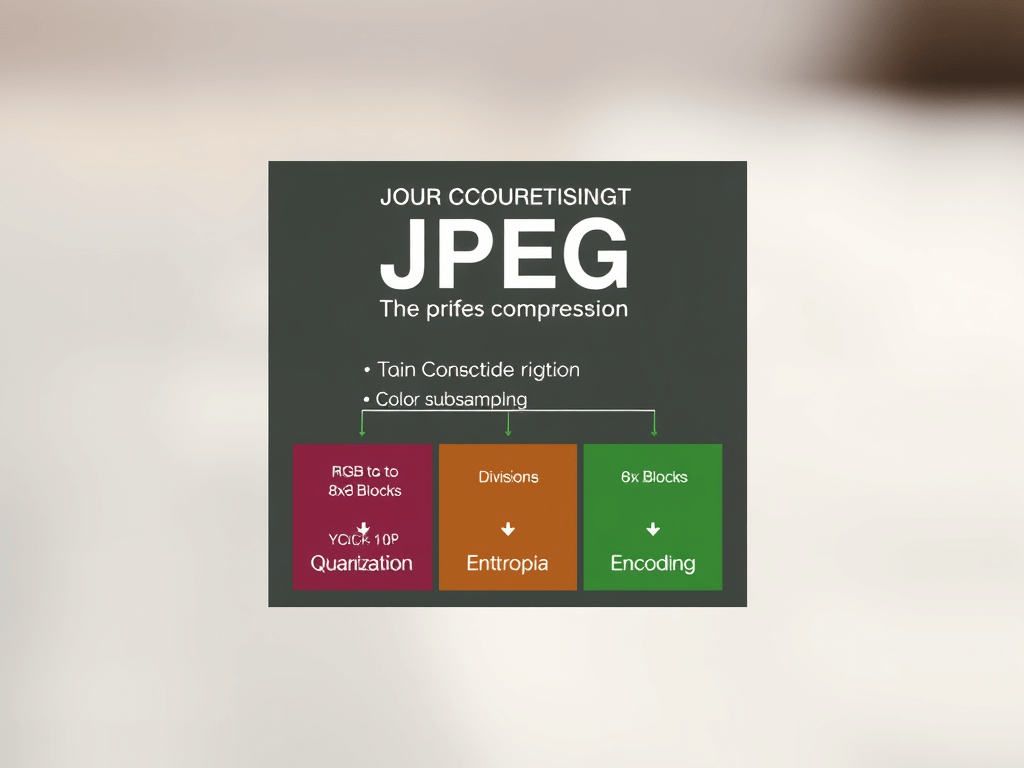
Here’s a step-by-step breakdown of JPEG compression:
1. Color Space Conversion (RGB → YCbCr)
JPEG first converts the image from RGB (Red, Green, Blue) to YCbCr:
- Y (Luma) – Brightness (most important to human vision).
- Cb & Cr (Chrominance) – Color information (less noticeable).
Why? Our eyes are more sensitive to brightness than color, so JPEG later discards more color data.
2. Chroma Subsampling (Reducing Color Data)
Since humans perceive color less sharply, JPEG downsamples Cb and Cr (usually to half or quarter resolution).
- 4:4:4 (No subsampling – rare in JPEGs).
- 4:2:2 (Color resolution halved horizontally).
- 4:2:0 (Color resolution halved in both directions – most common).
This step alone cuts file size significantly without obvious quality loss.
3. Dividing into 8×8 Blocks (Discrete Cosine Transform – DCT)
The image is split into 8×8 pixel blocks, and each block undergoes DCT, converting pixel values into frequency components:
- Low-frequency (top-left coefficients) = Smooth gradients.
- High-frequency (bottom-right coefficients) = Fine details (edges, noise).
This helps separate “important” data (low frequencies) from “less important” (high frequencies).
4. Quantization (Throwing Away “Unimportant” Data)
This is where lossy compression happens. Each DCT block is divided by a quantization matrix, which:
- Preserves low-frequency data (big numbers → less rounding).
- Discards high-frequency data (small numbers → rounded to zero).
Higher compression = More aggressive quantization = More zeros = Smaller file size but more artifacts.
5. Entropy Encoding (Final Compression with Huffman Coding)
The remaining data is compressed losslessly using:
- Run-Length Encoding (RLE) – Groups sequences of zeros efficiently.
- Huffman Coding – Assigns shorter binary codes to frequent values.
This step ensures no further quality loss—just smarter storage.
Decompression: Rebuilding the Image
When you open a JPEG, the process reverses:
- Decode Huffman/RLE → Reconstruct quantized DCT coefficients.
- Dequantize → Multiply by the quantization matrix (but lost data stays lost).
- Inverse DCT (IDCT) → Convert frequencies back to pixel values.
- Chroma Upsampling → Restore color resolution (with some blurring).
- YCbCr → RGB → Convert back to standard color space.
Why JPEGs Lose Quality Over Multiple Saves
- Each re-compression reapplies quantization, amplifying errors.
- Generational loss occurs, like a “digital photocopy” effect.
JPEG vs. Lossless Formats (PNG, RAW)
| Feature | JPEG (Lossy) | PNG (Lossless) |
|---|---|---|
| Compression | Discards “invisible” data | Preserves all data |
| Best For | Photos, web images | Logos, text, transparency |
| File Size | Small (~10% of original) | Large (~50-90% of original) |
| Artifacts | Blockiness, blurring | None |
Key Takeaways
✔ JPEG exploits human vision to discard less noticeable data.
✔ DCT + Quantization removes high-frequency details.
✔ Re-saving JPEGs degrades quality further.
✔ For maximum quality, use RAW or PNG and only convert to JPEG once.
Fun Fact
The “blocky” artifacts in highly compressed JPEGs are 8×8 pixel grids—remnants of DCT blocks where too much data was discarded!
Want to see this in action? Try saving an image at 1% JPEG quality—you’ll see pure math-driven destruction!
 Wonder-Ware
Leave a comment