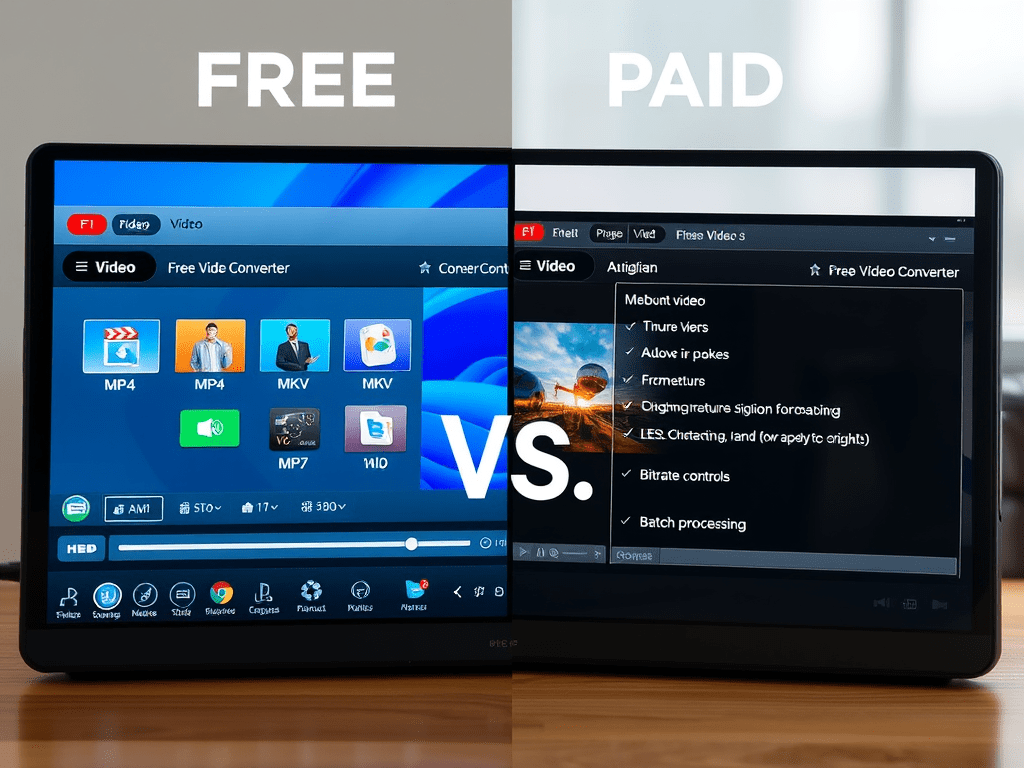
Video conversion is a common need. Maybe you have a GoPro clip that won’t play on your phone, a presentation needing a smaller file, or footage requiring a specific codec for editing. A quick search reveals countless converters – many free, others demanding payment. But what’s the real difference? Is paying ever worth it? Let’s bust some myths and compare what you actually get.
Myth Busters: Setting the Record Straight
- Myth 1: “Free converters are always spyware/malware.”
- Reality: While some shady free tools bundle adware or worse, many reputable free options are safe and legitimate (like HandBrake, Shutter Encoder, or online services like CloudConvert). The key is research and downloading from official sources.
- Myth 2: “Paid converters guarantee perfect quality.”
- Reality: All conversion involves compression and potential quality loss. Paid tools often offer more control over settings (bitrate, codec, frame rate) to minimize loss, but “perfect” isn’t guaranteed, especially with heavy compression.
- Myth 3: “Free converters can’t handle modern formats.”
- Reality: Many free tools do support common modern formats (MP4/H.264, MKV, HEVC/H.265). Where paid often shines is with proprietary, less common, or very new/cutting-edge codecs.
The Free Converter Reality: Pros & Cons
- What You REALLY Get:
- Basic Conversion: Handles common tasks (MP4 to MOV, AVI to MP4, compressing large files).
- Simple Interfaces: Often easy to use for quick jobs.
- Zero Cost: Ideal for occasional, non-critical conversions.
- Online Options: Convenient for quick web-based conversions without installation (watch file size/security limits!).
- The Hidden Costs & Limitations:
- Watermarks: Many free versions stamp your video with an ugly logo.
- File Size Limits: Strict caps on input/output file sizes.
- Speed Throttling: Conversions can be painfully slow.
- Feature Lockdown: Advanced settings (custom bitrates, audio channel mapping, batch processing, hardware acceleration) disabled.
- Ads & Upsells: Aggressive pop-ups or constant prompts to upgrade.
- Privacy Concerns: Online tools might store/analyze your files (check their privacy policy!).
- Limited Format Support: May lack support for professional codecs (ProRes, DNxHD), high bit-depth, or niche formats.
The Paid Converter Advantage: What You Pay For
- What You REALLY Get:
- No Watermarks: Professional results without branding.
- Full Feature Set: Access to advanced controls (bitrate, codec settings, filters, deinterlacing, cropping, resizing).
- Blazing Speed: Hardware acceleration (NVENC, Quick Sync, AMD VCE) leverages your GPU for significantly faster conversions.
- Batch Processing: Convert entire folders of videos at once.
- Broader Format Support: Handles professional, legacy, and cutting-edge codecs effortlessly.
- Higher Quality Options: Better algorithms and more granular control often yield superior output quality at similar file sizes.
- Customer Support: Access to help if things go wrong.
- Regular Updates: New features, bug fixes, and format support added over time.
- No Ads / Upsell Hassle: A clean, focused experience.
- The Cost: Obviously, you pay money upfront (perpetual license) or via subscription.
When Should You Actually PAY? (The Decision Matrix)
Don’t pay for every conversion. Invest when:
- Quality is Paramount: Converting professional footage for editing, archiving, or client delivery? Paid tools offer the control needed for minimal quality loss.
- Time is Money: Converting large files or batches frequently? Hardware acceleration in paid tools saves hours.
- Watermarks Are a Dealbreaker: Need clean, professional output? Paying removes the free version’s branding.
- You Need Advanced Features: Batch processing, custom scripting, specific filters, or support for niche/pro formats necessitate paid software.
- Regular Usage: If you convert videos weekly or even monthly, the efficiency and features of a paid tool quickly justify the cost.
- Security Matters: For sensitive content, a reputable paid desktop tool is often safer than an unknown online service.
When is FREE Perfectly Fine?
Stick with free converters if:
- Occasional, Basic Needs: Converting a phone video once every few months? Free is sufficient.
- Simple Format Changes: Switching between very common formats (MP4, MOV, AVI) without special requirements.
- Small Files: Converting short clips under typical free size limits.
- Budget is Zero: You absolutely cannot spend any money, and watermarks/slower speeds are acceptable trade-offs. (Prioritize reputable free tools like HandBrake!).
The Middle Ground: Freemium & Trials
- Freemium: Many paid tools offer feature-limited free versions. Use them! Test drive the interface and basic conversion before paying to unlock advanced features/speed/remove watermarks. This is often the best way to evaluate.
- Free Trials: Most paid software offers 7-30 day trials. Exploit these for important one-off projects to experience the full power without commitment.
The Verdict: It’s About Your Needs
There’s no single “best” option. The free vs. paid debate boils down to your specific requirements, frequency, and budget.
- For casual, infrequent, basic tasks: A reputable free converter is a smart choice. Do your homework to avoid malware.
- For frequent use, professional results, speed, advanced features, or watermark-free output: A paid converter is a worthwhile investment that saves time, frustration, and delivers superior quality and control.
Stop falling for marketing hype. Evaluate what you truly need to do with your videos, try reputable free or trial versions, and invest wisely if your demands exceed what free tools can reliably offer. Your time and the quality of your results are valuable – sometimes, paying is the truly efficient choice.
 Wonder-Ware
Leave a comment