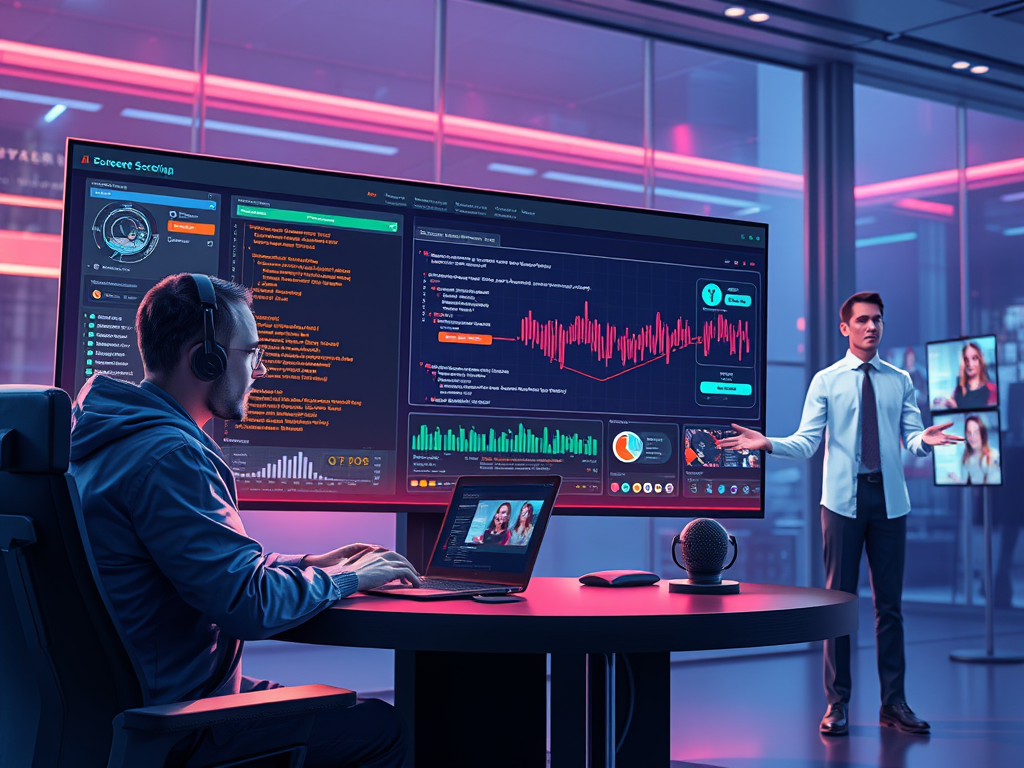
For years, screen recording software was a utilitarian tool—a digital camcorder for your monitor. Its primary function was to capture what was on screen, often resulting in large, generic video files that required heavy editing to become useful. But in 2025, that simplistic model has been completely overturned. Fueled by artificial intelligence, screen recording has evolved from a passive capture tool into an active, intelligent collaborator that helps us work, create, and communicate with unprecedented efficiency.
The modern screen recorder is no longer just about recording pixels; it’s about understanding context, automating workflows, and generating content. Here’s how AI is reshaping the landscape.
Trend 1: From Recording to Comprehending: Context-Aware Capture
The biggest leap forward is software that doesn’t just see your screen but understands it.
- Application-Aware Intelligence: Modern recorders recognize the application you’re using and adapt accordingly. Recording a coding session in VS Code? The AI can automatically highlight syntax, create bookmarks at error lines, and generate a summary of changes. Presenting in PowerPoint? It can isolate your slides and speaker feed, ignoring irrelevant browser tabs or desktop notifications.
- Automated Workflow Documentation: For businesses, this is a game-changer. Tools can now automatically document multi-step processes across different software. Need to train a new employee on the monthly reporting ritual? The AI recorder tracks your actions through the ERP system, Excel, and email, and generates a step-by-step guide complete with click hotspots and descriptions—all without any manual input.
- Privacy Guardrails: AI now automatically blurs sensitive information on the fly. It detects and obfuscates passwords, credit card numbers, personal emails, or specific application windows you designate as private, ensuring compliance and security by default.
Trend 2: The End of Manual Editing: AI-Powered Post-Production
The era of spending hours editing a screen recording is over. AI handles the heavy lifting instantly.
- Automatic Clip Creation & Highlight Reels: Finished a two-hour gaming session? The AI analyzes the footage to automatically identify and compile key moments like kills, deaths, and victories based on in-game audio cues and visual feedback. For a work presentation, it can find the segments where you shared your most important slides and create a concise summary reel.
- Smart Editing Suite: Features like auto-pause are now standard. The software intelligently removes moments of inactivity, long pauses, or repetitive tasks, creating a seamless, fast-paced final video. Voice-to-Text refinement allows you to edit the video by simply editing the automatically generated transcript—the audio and video are automatically trimmed to match.
- AI-Powered Voiceovers & Dubbing: Stumble over your words? Instead of re-recording, use the AI to regenerate a perfect sentence in your own voice. The software can even generate a complete, fluent voiceover from your script, syncing it perfectly with the on-screen action. For global teams, real-time AI dubbing can translate and re-voice your tutorials into multiple languages.
Trend 3: Integrated Ecosystems and The Rise of the “Creator OS”
Screen recording is no longer a standalone activity. It’s a core feature embedded within a larger content creation and communication ecosystem.
- Deep Platform Integration: Recorders now offer one-click export formats optimized for every platform. “Export for YouTube Shorts” automatically resizes, adds captions, and optimizes the color profile. “Export for Stack Overflow” creates a compressed GIF of the specific bug with code highlights.
- The Central Hub: Modern tools act as a “Creator OS,” combining recording, editing, asset management, and publishing. You can search your entire library of past recordings not by filename, but by what was said in the transcript or what was shown on screen (“find that clip where I was demonstrating the login feature”).
- Interactive Videos: The final output is no longer always a static video. AI screen recorders can generate interactive, web-based experiences where viewers can click on elements within the recording itself—like clicking a button in a software demo to proceed to the next step.
2025’s Standout Screen Recording Software
1. Tella 2025
- Best For: Modern creators, marketers, and product teams.
- Why it Stands Out: Tella has fully embraced the “Creator OS” model. Its AI doesn’t just edit; it scripts. You can give it a prompt like “create a 1-minute tutorial on how to update a profile picture,” and it will generate a storyboard, record the necessary scenes (or find them in your library), and assemble a polished video with voiceover, music, and captions.
- Killer Feature: AI Director Mode that guides you through a recording session to ensure you capture all necessary footage efficiently.
2. Loom AI Suite
- Best For: Async communication and hybrid/remote teams.
- Why it Stands Out: Loom has moved far beyond simple screen-and-cam capture. Its AI is a master of summarization and action items. After a meeting is recorded, it automatically generates a title, a concise summary, and a list of next steps extracted from the conversation. It integrates these insights directly into Slack or Microsoft Teams threads.
- Killer Feature: AI Chaptering that breaks long videos into digestible sections with custom titles, making it easy for viewers to navigate.
3. Camtasia 2025 (with Sensei AI)
- Best For: Professional e-learning developers and video editors.
- Why it Stands Out: Adobe has deeply integrated its Sensei AI into the Camtasia workflow. It offers the most powerful and granular AI video editing: object detection for adding smart animations, noise removal for crystal-clear audio, and a vast library of AI-generated background music that adapts to the length and tone of your video.
- Killer Feature: Style Sync – apply the visual style (colors, fonts, animations) from one video to another with a single click.
4. NVIDIA ShadowPlay Ultra
- Best For: Gamers and performance enthusiasts.
- Why it Stands Out: Leveraging the immense AI power of RTX 50-series GPUs, ShadowPlay offers features that were once pure fantasy. It can upscale past footage; if you forgot to hit record, its “Instant Replay” buffer can be reconstructed to a higher resolution. It also offers the most advanced background replacement and avatar overlay tech for streamers, all running locally with zero performance hit.
- Killer Feature: AI-Powered Performance Metrics that overlay real-time, stylized graphs of your FPS, temps, and latency onto your videos automatically.
Conclusion: The Invisible Production Assistant
In 2025, the value of screen recording software is no longer measured in resolution and bitrate, but in time saved and clarity achieved. The software has transitioned from a simple utility to an intelligent production assistant that works alongside you—capturing, refining, and distributing your ideas. It handles the tedious technical work, freeing you to focus on what truly matters: the content itself. For anyone who communicates, teaches, or creates digitally, these AI-powered tools are becoming not just convenient, but indispensable.
 Wonder-Ware
Leave a comment